-
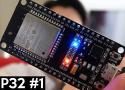
![thumbnail]() Premiers tests pour bien débuter avec l'ESP32 [ESP32 #1] - YouTube
Premiers tests pour bien débuter avec l'ESP32 [ESP32 #1] - YouTube
December 27, 2024 12:49:47 PM GMT+01:00 * - permalink - https://www.youtube.com/watch?v=zqwnYuOLvsEInstall IDE Arduino pour ESP32 sous Linux Debian12
Sous Debian 12, lors du 1er test, j'ai reçu ces deux messages d'erreur:
Error Msg: ModuleNotFoundError: No module named 'serial'
Error msg: Failed uploading: no upload port providedOn va donc, d'abord:
- #
apt install python3-serial - #
/sbin/usermod -aG dialout [USER]+ reboot
Suivi de l'installation proprement dite :
- Download Aduino IDE: https://www.arduino.cc/en/software
- Unzip : $
unzip arduino[…] - Launch : $
cd arduino[…], $ ./arduino-ide - Menu File → Preferences → Additional boards manager URLs: https://raw.githubusercontent.com/espressif/arduino-esp32/gh-pages/package_esp32_index.json
- Menu Tools → Board → Board Manager… → search with ESP32,
select de most recent versionselect the v3.0.7 version of ESP32 by Espressif Systems, and Install (la v3.1.0 est incompatible avec la carte ESP32-CAM-CH340 (cfr #CIOHWQ) - Menu Tools → Board → Esp32 → ESP32 Dev Module
- Menu Tools → Port → /dev/ttyUSB0
Test
- Menu File → example → ESP32 → ChipID → GetChipID
- Upload: Menu Sketch → Upload
- Menu Tools → Serial Monitor
- Change to 115200 Baud
ESP32 Chip model = ESP32-D0WDQ6 Rev 101
This chip has 2 cores
Chip ID: 11493932
- #