-
![thumbnail]()
-
Classic SysAdmin: How to Rescue a Non-booting GRUB 2 on Linux - Linux Foundation
January 8, 2025 10:08:19 AM GMT+01:00 * - permalink - https://www.linuxfoundation.org/blog/blog/classic-sysadmin-how-to-rescue-a-non-booting-grub-2-on-linuxOnce upon a time we had legacy GRUB, the Grand Unified Linux Bootloader version 0.97. Learn how to rescue a non-booting GRUB 2 on Linux.
-
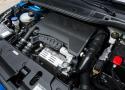
![thumbnail]() Moteur 1.2 PureTech PSA. Quand remplacer la courroie de distribution ?
Moteur 1.2 PureTech PSA. Quand remplacer la courroie de distribution ?
January 8, 2025 10:01:27 AM GMT+01:00 * - permalink - https://www.largus.fr/actualite-automobile/moteur-12-puretech-psa-quand-remplacer-la-courroie-de-distribution-10590390.htmlDans le cadre des deux rappels concernant les modèles équipés du moteur 1.2 PureTech, Citroën, DS, Opel et Peugeot ont modifié l'intervalle de remplacement de la courroie de distribution en fonction des cas. Il est désormais fixé à 6 ans ou 100 000 km. Des prises en charge sont parfois possibles.
-
Gestion de l'Hibernation (laptops) [Wiki CgX]
January 8, 2025 09:29:34 AM GMT+01:00 * - permalink - https://wiki.cgx.me/it/linux-systeme/laptops/hibernationGestion de l'Hibernation (laptops) Désactiver l'hibernation/suspend-to-(disk|ram) sous Linux/systemd: sudo systemctl mask sleep.target suspend.target hibernate.target hybrid-sleep.target Réactiver sudo systemctl unmask sleep.target suspend.target hibernate.target hybrid-sleep.target
-
![thumbnail]()
-
![thumbnail]() Comment tout savoir sur quelqu'un à partir de son instagram ? - YouTube
Comment tout savoir sur quelqu'un à partir de son instagram ? - YouTube
January 8, 2025 01:08:39 AM GMT+01:00 * - permalink - https://www.youtube.com/watch?v=WR0sSv87H0s🕵️ Vous pouvez retrouver toutes les ressources que j'ai utilisé durant mon enquête juste ici ➡️ https://urlr.me/syT3B👩🏻💻 Et si vous voulez vous aussi te...
-
![thumbnail]()
-
![thumbnail]() Comment réaliser des circuits imprimés - wikiHow
Comment réaliser des circuits imprimés - wikiHow
January 1, 2025 10:19:03 PM GMT+01:00 * - permalink - https://fr.wikihow.com/r%C3%A9aliser-des-circuits-imprim%C3%A9sComment réaliser des circuits imprimés. Ainsi, vous venez de terminer la conception de votre carte électronique. Vous avez fait quelques simulations sur votre ordinateur et le circuit marche à merveille. Seulement, il vous reste une chose...
-
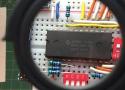
![thumbnail]() HM6116 2K x 8 Static RAM - YouTube
HM6116 2K x 8 Static RAM - YouTube
January 1, 2025 09:44:06 PM GMT+01:00 * - permalink - https://m.youtube.com/watch?v=bM50OhIVqCsWe explain and demonstrate the basic operation of an HM6116 2K-by-8 static RAM IC from the early 1980s by wiring one up on a protoboard, writing some data in...
Aussi:
https://tams.informatik.uni-hamburg.de/applets/hades/webdemos/40-memories/40-ram/demo-6116.htmlDispo ici:
https://www.restorpinball.com/boutique/486/121/electronique/ram/ram-cd6116-hm6116-6116-detail
-
![thumbnail]() GitHub - MarvinTechLab/IntelligentElectronicComponentSearch: Intelligent system for searching electronic components through APIs from major electronic component retailers.
GitHub - MarvinTechLab/IntelligentElectronicComponentSearch: Intelligent system for searching electronic components through APIs from major electronic component retailers.
January 1, 2025 07:57:59 PM GMT+01:00 * - permalink - https://github.com/MarvinTechLab/IntelligentElectronicComponentSearchIntelligent system for searching electronic components through APIs from major electronic component retailers. - MarvinTechLab/IntelligentElectronicComponentSearch
Discussion sur Reddit https://www.reddit.com/r/electronics/s/7lBn6wXpkP
Mais il faut s'inscrire aux API des sites. Sinon https://octopart.com/fr/search?q=NE555 ou https://www.findchips.com/search/NE555
-
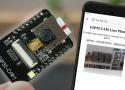
![thumbnail]() ESP32-CAM Take Photo and Display in Web Server | Random Nerd Tutorials
ESP32-CAM Take Photo and Display in Web Server | Random Nerd Tutorials
December 27, 2024 05:30:02 PM GMT+01:00 * - permalink - https://randomnerdtutorials.com/esp32-cam-take-photo-display-web-server/Build a web server with the ESP32-CAM board to take a photo and visualize the latest captured photo in your browser saved in SPIFFS. You can also rotate the image if necessary.
On récapitule:
- cfr #IFv-GA pour install API Arduino
- Download https://github.com/me-no-dev/ESPAsyncWebServer/archive/master.zip
- Install: Menu Sketch → Include Library → Add .ZIP Library…
- idem pour https://github.com/me-no-dev/AsyncTCP/archive/master.zip
- /!\ Board ESP32 by Espressif v3.1.0 incompatible → v3.0.7 (Menu Tools → Board → Boards Manager → Search Esp32, remove v3.1.0 and install v3.0.7)
- Code: https://github.com/RuiSantosdotme/ESP32-CAM-Arduino-IDE/blob/master/ESP32-CAM-Take-Photo-and-Display-Web-Server/ESP32-CAM-Take-Photo-and-Display-Web-Server.ino
- Contrairement à ce que le code dit, il faut sélectionner le board ESP32 Wrover Module
- Press FLASH, press RST, let RST, let FLASH
- Menu Sketch → Upload
- Press RST
- L'IP sera indiqué dans la fenêtre Sérial
Pour ajouter un flash
Ajouter les lignes suivantes:
ligne 34:
boolean flashlight = false;ligne 57:
#define LED_BUILTIN 4ligne 76:
<button onclick="captureWithFlashlight()">CAPTURE WITH FLASHLIGHT</button>ligne 89:
  function captureWithFlashlight() {
    var xhr = new XMLHttpRequest();
    xhr.open('GET', "/capturewithflashlight", true);
    xhr.send();
  }
ligne 108:
pinMode (LED_BUILTIN, OUTPUT);ligne 182:
  server.on("/capturewithflashlight", HTTP_GET, [](http://AsyncWebServerRequest * request) {
    takeNewPhoto = true;
    flashlight = true;
    request->send(200, "text/plain", "Taking Photo");
  });
function loop devient:
  if (takeNewPhoto) {
    if (flashlight) digitalWrite(LED_BUILTIN, HIGH);
    capturePhotoSaveSpiffs();
    takeNewPhoto = false;
    if (flashlight) {
      digitalWrite(LED_BUILTIN, LOW);
      flashlight = false;
    }
  }
-
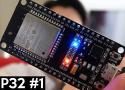
![thumbnail]() Premiers tests pour bien débuter avec l'ESP32 [ESP32 #1] - YouTube
Premiers tests pour bien débuter avec l'ESP32 [ESP32 #1] - YouTube
December 27, 2024 12:49:47 PM GMT+01:00 * - permalink - https://www.youtube.com/watch?v=zqwnYuOLvsEInstall IDE Arduino pour ESP32 sous Linux Debian12
Sous Debian 12, lors du 1er test, j'ai reçu ces deux messages d'erreur:
Error Msg: ModuleNotFoundError: No module named 'serial'
Error msg: Failed uploading: no upload port providedOn va donc, d'abord:
- #
apt install python3-serial - #
/sbin/usermod -aG dialout [USER]+ reboot
Suivi de l'installation proprement dite :
- Download Aduino IDE: https://www.arduino.cc/en/software
- Unzip : $
unzip arduino[…] - Launch : $
cd arduino[…], $ ./arduino-ide - Menu File → Preferences → Additional boards manager URLs: https://raw.githubusercontent.com/espressif/arduino-esp32/gh-pages/package_esp32_index.json
- Menu Tools → Board → Board Manager… → search with ESP32,
select de most recent versionselect the v3.0.7 version of ESP32 by Espressif Systems, and Install (la v3.1.0 est incompatible avec la carte ESP32-CAM-CH340 (cfr #CIOHWQ) - Menu Tools → Board → Esp32 → ESP32 Dev Module
- Menu Tools → Port → /dev/ttyUSB0
Test
- Menu File → example → ESP32 → ChipID → GetChipID
- Upload: Menu Sketch → Upload
- Menu Tools → Serial Monitor
- Change to 115200 Baud
ESP32 Chip model = ESP32-D0WDQ6 Rev 101
This chip has 2 cores
Chip ID: 11493932
- #
-
![thumbnail]()
-
![thumbnail]() Morning routine
Morning routine
December 24, 2024 04:32:45 PM GMT+01:00 * - permalink - https://www.instagram.com/p/Cph9RZqjlmJQuelques postures pour le matin. Debout. Surtout le dos.
-
![thumbnail]() Working from home ? Try this
Working from home ? Try this
December 24, 2024 04:26:37 PM GMT+01:00 * - permalink - https://www.instagram.com/reel/CmxvUs5hv4jDu yoga sur sa chaise de bureau... vite fait, discretos.
-
![thumbnail]() Bourse: Les 9 meilleurs livres pour battre Warren Buffet
Bourse: Les 9 meilleurs livres pour battre Warren Buffet
December 24, 2024 04:10:45 PM GMT+01:00 * - permalink - https://graphseobourse.fr/meilleur-livre-bourse/Je veux pas forcément battre Warren Buffet... Mais lire quelques livre, je veux bien :-)